An indoor TV antenna is worth buying only if local broadcast signals can reach the room where the TV sits. For most people who have a reasonable shot at reception, the Antennas Direct ClearStream FLEX is the best first model to try. It receives UHF and high-VHF signals, comes with a 12-foot coaxial cable, and includes an in-line amplifier with a physical on/off switch. The switch is unusually useful: amplification can help a marginal signal, but it can also overload a strong one. You can test both states without buying a second antenna.
Before ordering anything, check which stations serve your address and what channel band they use. An indoor antenna’s quoted range is not a promise. The FCC notes that its reception-map predictions assume an outdoor antenna 30 feet above ground, while indoor results can vary with walls, windows, terrain, trees, nearby buildings, and room placement. If the stations you want are weak or blocked, moving a flat antenna two feet can matter more than paying for a more ambitious number on a box.
Buy a simpler Channel Master FLATenna if you are near local towers and want an inexpensive unamplified starting point. Choose the Channel Master FLATenna with Booster only after a passive antenna or an unamplified test suggests you have marginal channels that may benefit from adjustable gain. If your market has important VHF stations, the RCA ANT1700F is an affordable flat model that explicitly covers low VHF, high VHF, and UHF. None of these will turn a bad indoor location into a dependable distant-signal installation; an attic or outdoor antenna may be the honest next step.
How SuperGrail is supported: We may earn a commission when you buy through an Amazon link. That does not change our recommendations.Quick picks
| Pick | Buy it for | Skip it if |
|---|---|---|
| Antennas Direct ClearStream FLEX | Trying an amplified indoor antenna with UHF and high-VHF support and a bypassable amplifier. | Your local stations are plainly too weak indoors or you need low-VHF coverage. |
| Channel Master FLATenna | A lower-cost, unamplified first attempt near local towers. | You already know the room has borderline reception and need a longer cable or optional gain control. |
| Channel Master FLATenna with Booster | Fine-tuning marginal UHF/high-VHF reception after testing placement. | You assume amplification can repair a blocked or absent signal. |
| RCA ANT1700F | A slim flat antenna when the station list includes VHF as well as UHF. | You need a high-gain directional outdoor setup. |
The first antenna to try: Antennas Direct ClearStream FLEX
The ClearStream FLEX is a useful first purchase because it gives you a controlled way to test amplification. Antennas Direct lists support for high-VHF from 174 to 216 MHz and UHF from 470 to 608 MHz, a 70-degree horizontal reception pattern, a reversible black-and-white face, and a 12-foot coaxial cable. Its Jolt Switch in-line amplifier can be turned on or bypassed. That is more useful than an always-on amplifier when you do not know whether weak signal, interference, or overload is the real problem.
Start with the amplifier off. Mount the antenna near a window or high on a wall, run the TV’s channel scan, and note both the channel count and the stability of the stations you care about. Then turn the amplifier on, repeat the scan, and compare. Do not judge only by the raw number of channels. A dozen distant shopping channels are less valuable than the local network, public television, or independent station you actually want to watch without pixelation.
The company calls the FLEX a 50-plus-mile antenna. Treat that as a product category label, not a prediction for your address. Signal path is the problem: concrete, foil-backed insulation, low-e window coatings, apartment walls, a ground-floor location, and a hill can all change the result. The FLEX cannot cover low-VHF stations below channel 7. Check the real RF channel in a reception lookup, not just the familiar virtual number shown on the TV. A station branded as channel 8 might broadcast on a different RF assignment, while a channel that appears to be a high number may still use VHF.
This is the pick for a household willing to spend an evening testing three or four locations. It is not a magic solution for a basement apartment or a distant, obstructed market. If you are outside the range of reliable indoor reception, return the indoor antenna and move to an attic or outdoor design instead of accumulating amplifiers.
The passive budget pick: Channel Master FLATenna
Channel Master’s FLATenna is the uncomplicated option for a location with strong nearby broadcasts. It is a thin, flexible, unamplified indoor antenna with a 12-foot coaxial cable and adhesive strips. Channel Master lists high-VHF and UHF reception, VHF gain of 3 dB, UHF gain of 6 dB, a standard F-type connector, and a one-year limited warranty. It is deliberately simple: no power adapter, no booster settings, and no extra box behind the TV.
That simplicity is the point. An amplifier cannot create signal that the antenna does not receive, and it can make an already strong signal worse. If you live close to broadcast towers, a passive antenna removes one variable from the setup. It also makes it easier to rule out a flaky USB power port or a questionable wall adapter when you are troubleshooting.
Channel Master describes the FLATenna as able to receive signals from towers up to 35 miles away. Actual indoor distance is not the decision rule. The question is whether the relevant stations appear as strong or moderate at your address and whether the room has a workable window or high wall. The antenna has no low-VHF specification, so it is not the cautious choice for a market where the stations you want use that band.
Buy it if you want a low-risk first test and the station lookup shows a friendly local situation. It is also good for a second TV in a room where a full roof antenna feed is not available. Skip it if your first scan already shows channels that arrive and disappear, because a longer cable, an amplifier with a bypass mode, or a different antenna type may give you more useful troubleshooting options.
The conditional upgrade: Channel Master FLATenna with Booster
The Channel Master FLATenna with Booster is worth considering when you have identified a specific marginal-reception problem, not when you merely want the largest stated range. It pairs the FLATenna with a powered indoor amplifier offering up to 30 dB of gain, three selectable modes, and FM, LTE, and out-of-band filtering. The included antenna-to-booster coax is 12 feet; the booster-to-TV cable is six feet. That gives a little more placement flexibility than a short all-in-one lead.
Channel Master is unusually direct about the limitation: not every reception problem is caused by weak signal, so an amplifier may not solve every problem. That should guide the purchase. If a passive antenna receives a station cleanly in one spot but breaks up after you extend the cable to the TV, amplification may help offset cable loss. If a station is absent everywhere inside the home, a booster is much less likely to change the outcome. It amplifies the signal at its input, plus anything else that gets into that input.
Use its modes methodically. Put the antenna in the best physical spot first. Scan with one mode, note the stations, then try the other modes only if necessary. Re-scan after a meaningful change because many TVs keep the previous channel list until told to search again. Do not leave a setting selected merely because it showed more total channels; use the mode that gives the important stations the most stable reception.
The booster version is a better choice than a generic amplified panel for someone who wants to isolate variables. It still only targets UHF and high-VHF. If low VHF is part of your station mix, an antenna with the appropriate frequency coverage—or a different class of antenna—may matter more than another 30 dB number.
The VHF-conscious flat option: RCA ANT1700F
The RCA ANT1700F is a flat, multi-directional indoor antenna worth checking when your station lookup includes VHF assignments. RCA lists coverage from 54 to 88 MHz, 175 to 216 MHz, and 470 to 698 MHz, which corresponds to low VHF, high VHF, and UHF. It includes a six-foot coaxial cable, supports wall, flat, or standing placement, and has a one-year limited warranty.
The useful distinction is frequency coverage, not its quoted 50-mile range. Many modern flat antennas concentrate on UHF and high VHF because that is where many broadcast stations live. A market with a relevant low-VHF signal is different. Low-VHF wavelengths are longer, and a tiny flat panel is not automatically the ideal shape. The ANT1700F at least states the band coverage, giving it a more credible starting point than an antenna that does not mention VHF at all.
Do not treat this as a guarantee of low-VHF success inside any building. Long-wavelength reception indoors can still be difficult, and a set of adjustable rabbit ears or an outdoor VHF-capable antenna may be the better answer in a hard location. Buy the RCA when a slim indoor setup is still plausible and the exact frequency list makes VHF a consideration. Skip it if you are already in a signal-challenged area and need a directional outdoor solution.
Check the real broadcast landscape before choosing hardware
Use the FCC’s reception map or another reliable local station lookup before you buy. Enter the actual address, then note the station call signs, RF channels, directions, estimated signal strength, and whether the channels you care about are VHF or UHF. A virtual channel number shown in a TV guide is not enough. The RF channel is what determines the antenna band you need.
Look at direction as well as distance. An indoor antenna is usually multidirectional or broadly directional, but it is still affected by which side of the building faces the transmitters. If the local stations are clustered in one direction, a window on that side is promising. If they are spread widely around the home, you may need to compromise, move the antenna depending on the program, or choose a setup that works adequately across several headings.
Location predictions are imperfect by design. The FCC cautions that indoor reception can vary significantly because its map calculations assume an outdoor antenna above ground. Use the map to decide whether an indoor attempt is sensible, not to guarantee a channel list. A nearby hill, a concrete building, a metal screen, or even a different room can make your result look nothing like a neighbor’s.
Placement is the free upgrade
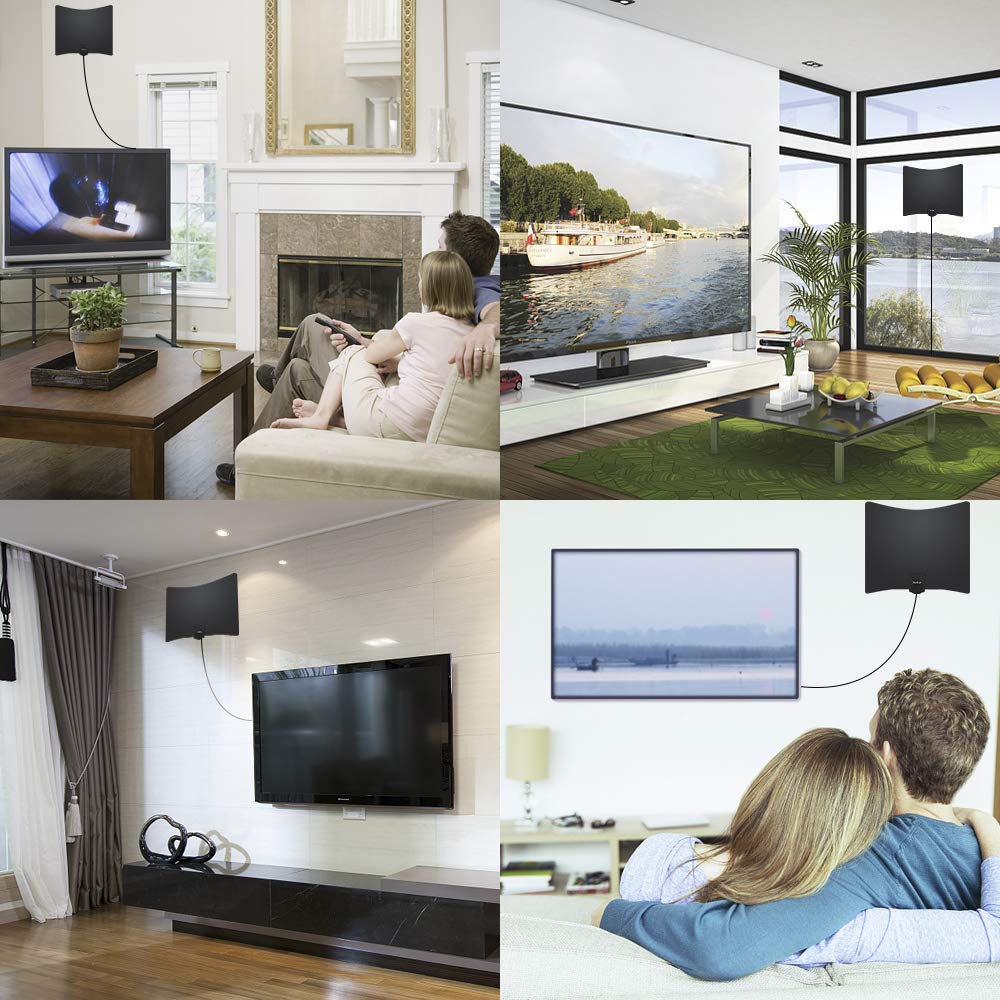
Begin near a window, as high as practical, and away from the TV, router, game console, power brick, and other electronics. The FCC’s consumer guidance specifically recommends trying a window, raising the antenna, keeping it away from electronic equipment, changing its direction, and re-scanning after a move. Use painter’s tape or the included temporary mounting material while you experiment. Do not permanently hide the antenna behind the television before finding out where it works.
Try a few distinct locations rather than shifting it an inch at a time. Start at the window facing the stations. Then try a higher wall, a different window, and a location with less electronics nearby. Re-scan after every major placement change. If the picture is stable but a desired channel is missing, adjust direction and height before adding an amplifier. If it appears but breaks up, test the amplifier on and off and inspect the coax connection.
Flat antennas are easy to conceal, which is both their strength and their trap. Behind a TV, inside a cabinet, or low on a wall can be the worst place to put one. Prioritize reception first. Once you find a working spot, choose the white or black side that makes the antenna least conspicuous.
When an amplifier helps—and when it causes trouble
An amplifier is useful when a usable signal reaches the antenna but loses enough level through cable length, splitters, or a borderline indoor path that the TV cannot hold it cleanly. It is not a substitute for an antenna in the wrong room or for a transmitter hidden behind terrain. If the incoming signal is mostly noise, the amplifier raises the noise too.
Strong-signal overload is also real. A powered antenna can produce fewer stable channels than the same antenna in passive mode when the local broadcasts are very strong. That is why the ClearStream FLEX’s bypass switch is valuable. Compare real results with the amplifier off and on. The better setting is the one that makes the wanted channels dependable, not the one with the most impressive package number.
Keep the coax run short and direct for the first test. Splitters and long, old coax complicate diagnosis. Once the antenna works directly into the TV, add any splitter or DVR back into the chain one piece at a time. For most homes, a simple direct connection is the fastest way to learn whether the antenna and location can work at all.
Set up the TV correctly
Connect the antenna to the television’s antenna or RF input, not an HDMI port. In the TV’s setup menu, choose antenna or air rather than cable, then run a channel scan. Every time you move the antenna substantially or change amplifier settings, scan again. Some televisions will display old channels in the guide even after reception changes, so a fresh scan prevents a confusing mix of stale and current results.
Check whether the television has an ATSC tuner. Most modern U.S. televisions do, but an older display may need a compatible external tuner. ATSC 3.0, also called NextGen TV, is a separate availability question; an antenna does not add that capability to a television without an appropriate tuner. The antenna receives local broadcast signals. It does not supply internet service, turn a streaming-only display into a broadcast receiver, or improve the speakers built into the TV. If you add a Bluetooth speaker for sound, check the TV’s audio-output options and latency before buying; our portable Bluetooth speaker guide covers the trade-offs of that separate purchase.
An antenna can be a useful part of a basic emergency plan because local broadcasters may carry weather and public-information updates without a subscription. For broader practical preparation, see our guide to emergency preparedness supplies. The antenna should still be selected for ordinary day-to-day reception first; a device you cannot get to work in normal conditions is not a reliable emergency tool.
When to stop trying indoors
Move on from indoor antennas when the important local stations are consistently absent after you have checked the station map, used the right frequency coverage, tried several positions, and tested amplification thoughtfully. That is not a failure of patience. It is an honest reading of the signal path. An attic or outdoor antenna usually sits higher, has fewer building materials in front of it, and can be more directional. A professional installer can also be worthwhile for a difficult roofline or a whole-home coax run.
Do not keep layering a signal booster, a second booster, and a random splitter onto a bad indoor setup. Each additional connection introduces another variable. Return the unsuitable indoor gear while you can and buy the appropriate antenna category. The best outdoor solution depends on local stations, mounting rules, grounding, and cable routing, so it is a separate decision from this guide.
What we considered
We reviewed current manufacturer documentation for band coverage, amplifier control, included cable length, mounting choices, connector type, warranty information, and stated fit for indoor use. We also checked the FCC’s current guidance on reception maps and indoor placement. The recommendations deliberately cover strong-signal passive use, adjustable amplification, and VHF awareness rather than presenting one flat panel as universal. We checked that the models were findable on Amazon at the time of the update. We did not conduct field-strength measurements or independent reception tests at individual addresses.
Indoor TV antenna questions answered
Will an indoor antenna work where I live?
Check the local broadcast map first, then test an antenna in the actual room. Signal distance is only one factor. Building materials, terrain, station direction, nearby electronics, and the window or wall you use can change the result.
Do I need an amplified antenna?
Not always. Start passive when local signals are strong, or use a model with a switchable amplifier. Amplification can help a marginal usable signal, but it cannot repair a blocked signal and can overload a very strong one.
Why am I missing one local channel?
Check that station’s real RF channel and band, then move the antenna, change its direction, and scan again. It may use VHF when your antenna is optimized for UHF, or it may come from a different transmitter direction than the other stations.
Can I hide the antenna behind the TV?
You can try, but it is often a poor first placement. Find a working high or window-adjacent location first, then see whether a less visible nearby position keeps the important channels stable.
The practical choice
Start with the ClearStream FLEX if your address has plausible indoor reception and you value a switchable amplifier. Use the Channel Master FLATenna for a simple passive attempt near local towers. Add the FLATenna with Booster only when you have a specific marginal-reception reason, and look at the RCA ANT1700F when VHF coverage is part of your local channel mix. Give placement an honest test before spending more. If indoor reception remains unreliable, choose an antenna category that matches the location instead of buying another flat panel.