SuperGrail may earn a commission from qualifying Amazon purchases. Mouse recommendations are derived from current shape, sensor, receiver, battery, and control documentation rather than physical handling or latency tests.
The short answer
The Logitech MX Master 3S is the best all-around wireless mouse for a right-handed desk worker who uses long documents, timelines, or multiple computers. Its MagSpeed wheel, thumb wheel, quiet main clicks, 8000-DPI sensor, three-device switching, Bluetooth, and Logi Bolt receiver make it unusually capable. At 141g it is heavy, expensive, and shaped for the right hand. People with smaller hands or wrist discomfort should not treat popularity as proof of fit; the Logitech Lift is the more deliberate ergonomic option.
Sensor resolution is rarely the deciding spec for office use. Shape, weight, scroll behavior, connection reliability, and software permissions affect every hour. Gamers have a different equation: low mass, predictable 2.4GHz radio, high polling options, and large PTFE feet can matter more than a second scroll wheel. A trackball removes desk travel altogether but requires a learning period.
Current maker specification pages and business data sheets supplied dimensions, weight, sensor ranges, battery claims, receiver details, supported systems, and warranty terms. No click-latency measurement or medical assessment was part of the editorial research. For a complete desk, compare our computer-monitor recommendations and wireless-keyboard guide.
Quick picks
| Pick | Best for | Main facts | Who should skip it |
|---|---|---|---|
| Logitech MX Master 3S | right-handed users who scroll large documents, customize shortcuts, or move among several computers | 141g right-handed shape; 8000-DPI Darkfield sensor; MagSpeed main wheel and thumb wheel; Bluetooth and Logi Bolt; three channels; up to 70 days claimed battery | small hands, left-handed use, competitive gaming, or anyone who wants a light mouse |
| Logitech Lift Vertical Ergonomic Mouse | small- to medium-handed users who prefer a handshake-like posture and want multi-device office features | 57-degree vertical form; right- and left-handed models; 125g; 400–4000 DPI; six buttons; Bluetooth and included Logi Bolt receiver; up to 24 months from one AA | large hands, gaming, or anyone expecting hardware alone to cure pain |
| Logitech M240 Silent Bluetooth Mouse | students, travelers, and shared rooms that need a simple quiet Bluetooth pointer | compact ambidextrous 73.8g body; three buttons; Bluetooth Low Energy; 400–4000 DPI; one AA; up to 18 months; no receiver included in consumer version | you need device switching, side buttons, a receiver in the box, or a shape that supports a large hand |
| Razer Viper V3 Pro | competitive players who value low mass, large skates, and adjustable high polling over office features | 54g right-handed symmetrical shape; Focus Pro 35K Gen-2 sensor; included 8000Hz HyperPolling dongle; six programmable buttons; up to 95 hours at 1000Hz or 17 hours at 8000Hz | left-handed side-button use, Bluetooth needs, quiet shared spaces, or buyers without a CPU and display that benefit from high polling |
| Logitech ERGO M575 Trackball | tight desks, trays, and users who prefer moving a thumb instead of the whole device | stationary right-handed thumb trackball; 145g; five buttons; 400–2000 DPI; Bluetooth and Logi Bolt; one AA with up to 18 months; three customizable buttons | left-handed use, fast competitive games, or thumb discomfort |
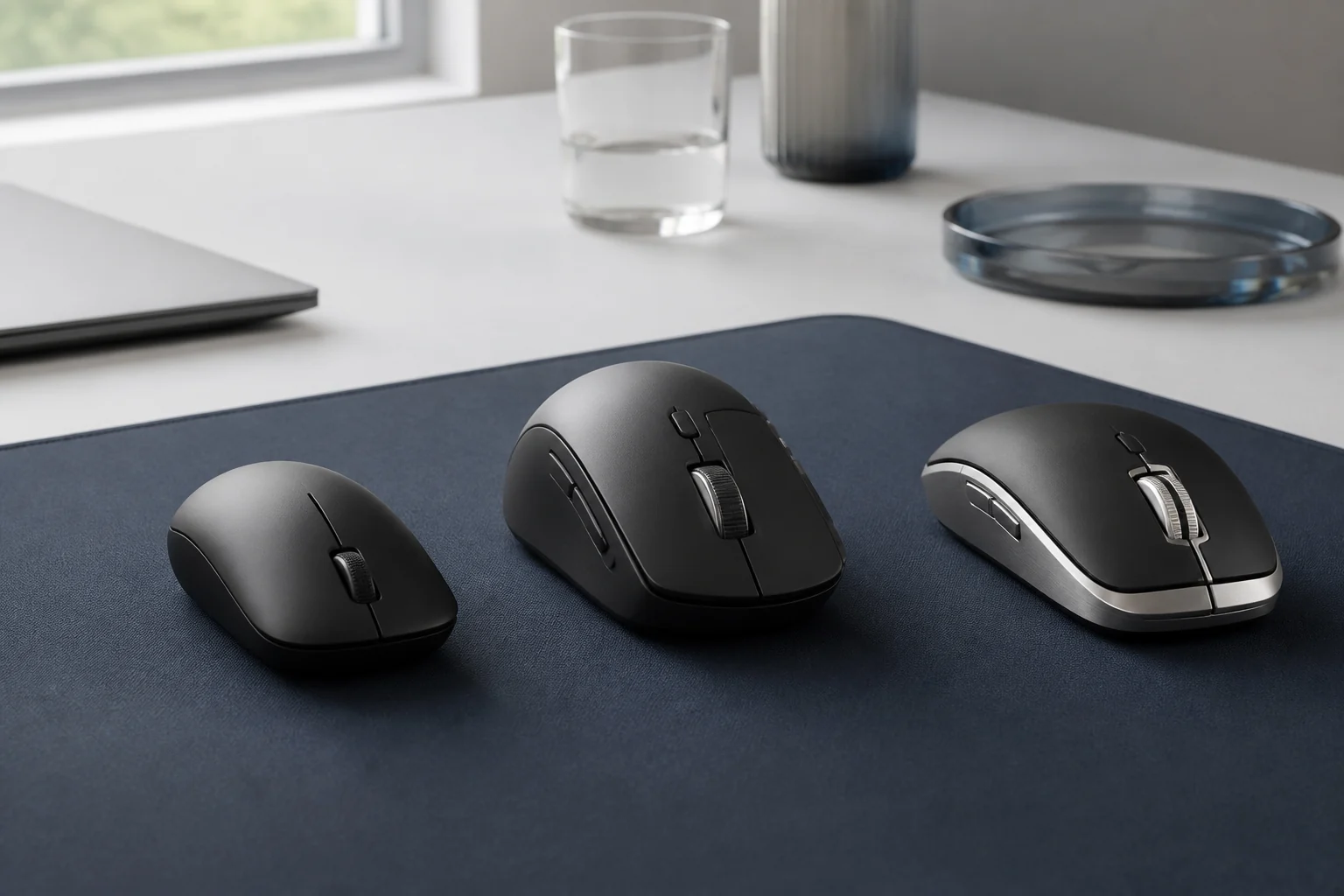
These mice prioritize different movement methods: a control-heavy palm mouse, a compact vertical shell, a quiet travel shape, a 54g gaming body, and a stationary thumb trackball. Hand fit and task should eliminate candidates before sensor ceilings do.
Why these five picks differ
1. Logitech MX Master 3S: best for office productivity
Best for: right-handed users who scroll large documents, customize shortcuts, or move among several computers. Skip it if: small hands, left-handed use, competitive gaming, or anyone who wants a light mouse.
The MX Master 3S justifies its size through controls that change real work. The metal MagSpeed wheel can move line by line or spin freely through long documents, and the thumb wheel is useful for horizontal timelines and spreadsheets. Back, forward, and gesture controls can be remapped in Options+ on supported systems.
The 8000-DPI Darkfield sensor can track on many glossy surfaces, but the large number mainly provides sensitivity headroom for high-resolution displays. It does not make the 141g body a gaming mouse. The asymmetric shell fills the right palm and places the thumb on a broad ledge; left-handed people and many fingertip-grip users should skip it.
Logitech specifies up to 70 days from the 500mAh USB-C rechargeable battery and three Bluetooth or Bolt channels. The included receiver is Logi Bolt, not Unifying. A quick charge can rescue a workday, but the internal battery is not as instantly replaceable as the AA cell in the Lift or M240.
When viewing Logitech MX Master 3S, confirm the 3S model, 8000-DPI sensor, USB-C charging, and included Bolt receiver. Older MX Master revisions use different sensors, click mechanisms, or receiver systems.
2. Logitech Lift Vertical Ergonomic Mouse: best vertical mouse for small to medium hands
Best for: small- to medium-handed users who prefer a handshake-like posture and want multi-device office features. Skip it if: large hands, gaming, or anyone expecting hardware alone to cure pain.
Lift rotates the hand into a 57-degree position and supports the palm with a compact vertical shell. Logitech explicitly targets small to medium hands and sells a left-handed graphite model, distinctions that make it more useful than a generic “ergonomic” label. Its SmartWheel moves between precise and faster scrolling, and six buttons cover normal office navigation.
A vertical mouse changes which forearm muscles perform the movement. Some people adapt quickly; others find pointer control less precise at first. No mouse is a medical treatment, and persistent pain deserves a qualified assessment plus changes to desk height, workload, and breaks. Large hands may fit Logitech's MX Vertical better.
Lift connects by Bluetooth or the included Bolt receiver and can switch among three devices. One AA battery is rated for up to 24 months. At 125g it is lighter than MX Master 3S but far heavier than a competitive gaming mouse, and its upright shape is bulky in a laptop sleeve.
Select the correct handed version and color in Logitech Lift Vertical Ergonomic Mouse; the left-handed Lift is a distinct graphite SKU. Large-hand shoppers should not assume this small-to-medium shell matches the bigger MX Vertical.
3. Logitech M240 Silent Bluetooth Mouse: best inexpensive quiet travel mouse
Best for: students, travelers, and shared rooms that need a simple quiet Bluetooth pointer. Skip it if: you need device switching, side buttons, a receiver in the box, or a shape that supports a large hand.
M240 is useful precisely because there is little to configure. It pairs over Bluetooth, has left, right, and wheel clicks, weighs about 74g with its battery, and fits either hand. Logitech reports a 90 percent click-noise reduction versus the M185 from an independent measurement at one meter. The claim supports shared-room use but does not mean the switch is silent.
The small shell encourages fingertip control and packs easily, but it offers no thumb buttons or sculpted palm support. The consumer Bluetooth version does not include a Bolt receiver, though it is compatible with one sold separately. There is one channel and no Easy-Switch button, so moving between computers means re-pairing.
One replaceable AA is rated for up to 18 months. That is convenient for an emergency bag, provided the cell is checked during long storage. Choose M240 when price, quiet operation, and broad Bluetooth compatibility outweigh productivity controls.
For Logitech M240 Silent Bluetooth Mouse, distinguish the consumer Bluetooth package from M240 for Business. The consumer version normally omits the Bolt receiver and offers one device channel despite Bolt compatibility.
4. Razer Viper V3 Pro: best for competitive wireless gaming
Best for: competitive players who value low mass, large skates, and adjustable high polling over office features. Skip it if: left-handed side-button use, Bluetooth needs, quiet shared spaces, or buyers without a CPU and display that benefit from high polling.
The Viper V3 Pro is a purpose-built game tool. At about 54g it is less than half the weight of MX Master 3S, the symmetrical shell is shaped for right-handed control, and its included HyperPolling dongle supports rates up to 8000Hz. The Focus Pro 35K Gen-2 sensor offers far more resolution than most players need, but its tracking platform and lift behavior are the relevant parts.
Higher polling is not free. Razer rates battery life at up to 95 hours at 1000Hz, 62 at 2000Hz, 40 at 4000Hz, and 17 at 8000Hz. CPU load and diminishing perceptual returns also matter. Start at 1000Hz or 2000Hz and increase only if the computer, game, and high-refresh display remain stable.
There is no Bluetooth and no tilt wheel. The main shape is symmetrical, but side buttons are positioned for the right thumb, so it is not fully ambidextrous. Optical switches and PTFE feet suit fast play; the sparse controls and gaming software make poor value for someone primarily editing documents.
A valid Razer Viper V3 Pro package includes the HyperPolling dongle and identifies Viper V3 Pro, not the standard V3 HyperSpeed. Battery estimates depend heavily on the selected 1000–8000Hz polling rate.
5. Logitech ERGO M575 Trackball: best for a desk with no mousing room
Best for: tight desks, trays, and users who prefer moving a thumb instead of the whole device. Skip it if: left-handed use, fast competitive games, or thumb discomfort.
The M575 moves the cursor while its 145g body stays still. That is ideal on a narrow keyboard tray, beside audio gear, or anywhere a normal mouse would run out of pad. The right thumb rolls the exposed ball while index and middle fingers click; back and forward buttons sit beside the left button.
Trackballs have a learning curve and a distinct physical demand. Fine selection may feel clumsy for several days, and a thumb-driven ball is wrong for someone whose thumb is already irritated. It is right-handed only. Once adapted, users can cross multiple monitors without repeatedly lifting a mouse.
Current business documentation specifies Bluetooth 5.1 or Logi Bolt, a 400–2000 DPI range, and up to 18 months from one AA. The ball must be removed periodically so lint can be cleaned from the support bearings. That maintenance is simple but more frequent than wiping an enclosed optical sensor.
Use Logitech ERGO M575 Trackball to verify the right-handed thumb-ball M575 and its receiver bundle. The similarly named M575S and business packages may change button, receiver, or compatibility details.
How to choose
Fit starts with hand and grip
Palm grips usually suit a fuller shell, claw grips bend the fingers more, and fingertip grips favor a smaller or lighter mouse. Manufacturer hand-size labels are guides, not guarantees. Compare length, width, height, and where the hump sits. A technically advanced mouse that strains the thumb is the wrong purchase.
Compare shell length, width, height, and hump location with a mouse already known to fit. Hand measurements alone do not reveal whether the thumb ledge or rear curve supports the preferred grip.
Weight changes movement
Low mass makes repeated lifts and fast corrections easier, which is central to gaming. More weight can feel stable for precise office selections and support additional wheels or batteries. There is no universal ideal. Consider the mouse pad, pointer sensitivity, and whether movement comes from fingers, wrist, or arm.
Decide how often the mouse is lifted, accelerated, or held still for detailed selections. That movement pattern tells more about a suitable 54g or 141g body than a generic preference for lightness.
Receivers are ecosystems
Logi Bolt, Logitech Unifying, Razer HyperSpeed, and generic 2.4GHz receivers are not interchangeable. Bluetooth avoids a dongle but may add pairing friction or radio variability. Store the receiver safely and verify USB-A versus USB-C before a laptop trip.
Record the receiver family beside each computer port. Bolt, Unifying, HyperSpeed, and generic dongles use separate pairing systems even when all plugs are USB-A.
Polling and DPI solve different problems
DPI controls how far the pointer moves for a given physical distance. Polling rate controls how often position is reported. Extreme values are marketing-friendly and can be counterproductive. Use a DPI that permits precise control and a polling rate the computer and workload can sustain.
Set a usable pointer distance first, then choose polling for the application and display. Maximum DPI and 8000Hz operation can add battery or processor cost without improving ordinary document work.
Software can be optional or essential
MX Master's value rises with custom application shortcuts, while M240 remains useful without software. Managed work computers may block Options+ or Synapse. Check whether basic DPI, pairing, and onboard profiles work without a persistent utility or cloud account.
Separate controls that work in hardware from assignments that depend on Options+ or Synapse. A managed workstation may reduce an elaborate mouse to its basic clicks and wheel.
Setup, care, and ownership
Set pointer speed with operating-system acceleration understood before changing DPI repeatedly. For games, many players disable acceleration for consistent distance. For office work, acceleration can reduce large arm travel while preserving fine control.
Keep the sensor window and skates clean. A hair across the sensor can cause jumps, while worn or dirty feet create drag. Use a suitable pad rather than an uneven reflective surface when consistent movement matters.
Charge internal batteries before travel and carry the correct cable. For AA models, use fresh matched cells and remove them before very long storage. Do not mix old and new batteries.
Trackball owners should eject the ball according to the manual and wipe the ball and support points with a soft dry cloth. Do not flood the cavity with cleaner or add oil; residue attracts more dirt.
Break up long pointer sessions with keyboard shortcuts and task changes. If numbness or pain persists, stop assuming another mouse shape is the complete answer and seek ergonomic or medical guidance appropriate to the symptoms.
Store the mouse model, handedness, receiver family, DPI setting, and button map together. Consult that record before replacing a lost dongle or resetting firmware, and stop using a unit with a swollen rechargeable cell, leaking AA battery, damaged cable, or intermittent power.
Credible competition
Logitech's M720 Triathlon remains a strong midrange multi-device mouse with long AA life, but MX Master 3S offers better scrolling and Lift offers a clearer shape alternative. The newer MX Master 4 family may appeal to buyers who want Logitech's latest productivity controls; availability and price should be compared against the mature 3S rather than assumed superior. Razer's DeathAdder V3 HyperSpeed better suits larger right hands than the Viper, while Logitech's G Pro X Superlight line is an equally serious competitive option. Apple's Magic Mouse supports macOS gestures but its low shape and charging arrangement make it too polarizing for a general recommendation.
Mouse discounts should be evaluated against hand fit, weight, receiver contents, and software access. A lower price cannot make a right-handed shell suitable for the left hand or turn a gaming dongle into office Bluetooth.
How we researched
Current Logitech and Razer product specifications and business data sheets available through August 10, 2026 supplied the mouse dimensions, mass, handedness, sensor ranges, polling options, buttons, receiver families, battery claims, operating-system support, and warranty details used in this comparison.
The products were not physically handled, and no click-latency, tracking, skate-friction, battery-endurance, grip-comfort, acoustic, or medical assessment was performed. Logitech’s click-noise percentage and every endurance figure remain attributed manufacturer claims with their stated comparison or polling conditions.
Frequently asked questions
Is a vertical mouse better for wrist pain?
It changes forearm rotation and can help some people, but pain has many causes and the evidence for one universal shape is weak. Fit, desk height, workload, and breaks still matter. Treat persistent symptoms as a health issue, not a shopping contest.
Do I need more than 1000Hz polling?
Usually not for office work. Competitive players with high-refresh displays may prefer 2000Hz or more, but battery use and CPU overhead rise. A stable 1000Hz connection with good frame pacing is better than an unstable maximum.
Will 8000 DPI make the pointer more accurate?
It makes the pointer travel farther per inch. Sensor quality and your chosen sensitivity affect control; maximum DPI is not accuracy. Many people use a fraction of the available range.
Can one Bolt receiver connect a keyboard and mouse?
Compatible Logi Bolt devices can share a receiver through Logitech's pairing software. Older Unifying devices cannot pair to Bolt. Corporate policies may limit the software required to change pairings.
How often should I clean a trackball?
Clean it when motion feels rough or inconsistent, which can range from days to weeks depending on the room and hands. The task takes minutes: remove the ball, wipe it and the bearing points, and reinstall it dry.
Final recommendation
Logitech MX Master 3S is the productivity choice for a right hand that fits its large 141g shell and benefits from two wheels and application shortcuts. Lift addresses a smaller vertical grip, M240 covers quiet travel, Viper V3 Pro serves competitive play, and M575 removes the need to move a mouse across the desk.