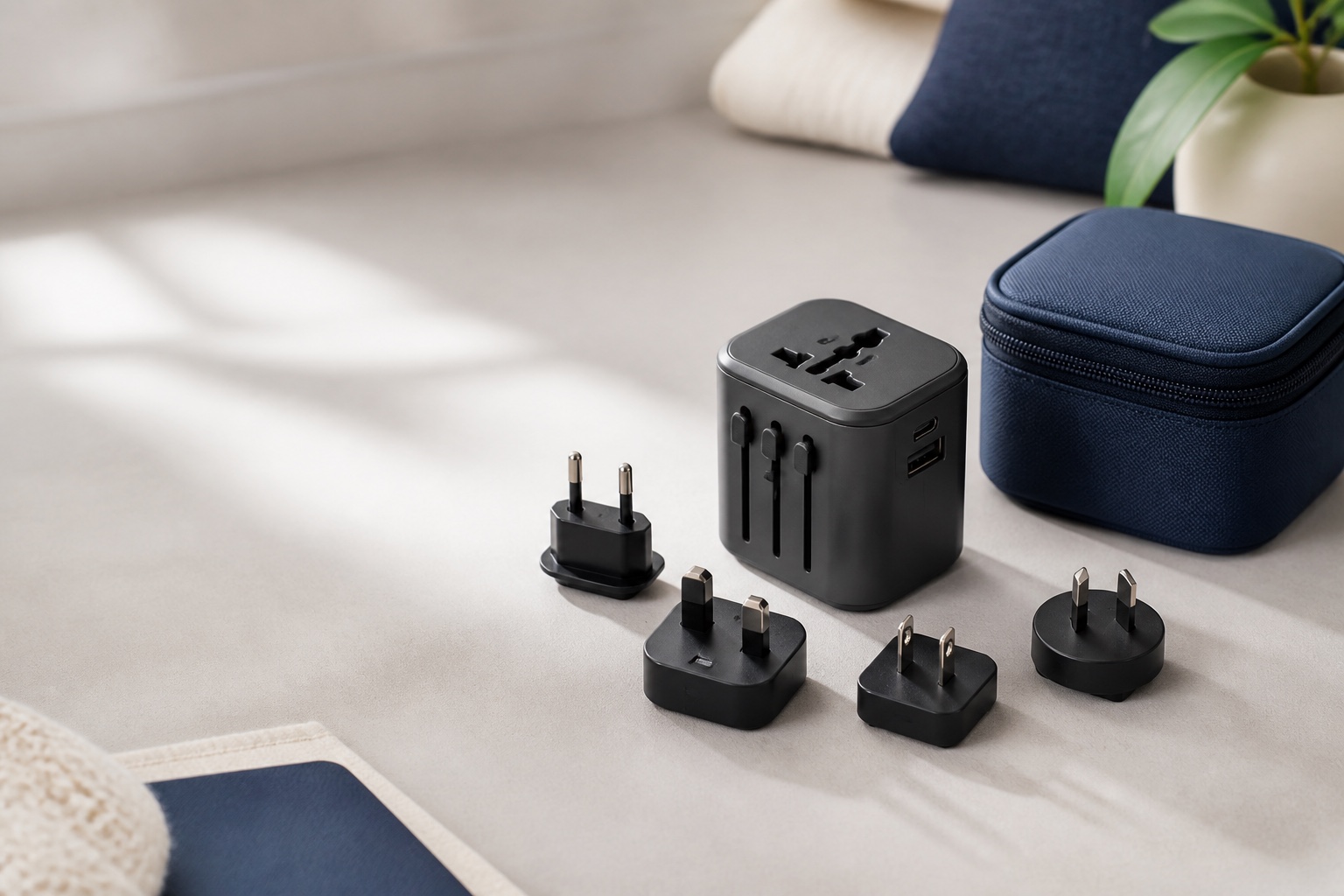
For most international trips, buy the Epicka TA-105 Pro. It is the sensible all-in-one choice for a carry-on that includes a USB-C laptop, phone, tablet, camera, and small accessories. Its main USB-C port can deliver up to 70 W when used on its own, and it has two more USB-C ports, two USB-A ports, a universal AC socket, replaceable fuses, and slide-out plugs for the common A, C, G, and I outlet families. That is a lot of capability in one object. The catch is equally important: it changes plug shape, not wall voltage. If the label on your appliance does not say it accepts the voltage at your destination, a universal adapter will not make it safe.
Take the TESSAN WTA09 if your room setup regularly includes more than one AC-powered charger. It gives you a 65 W USB charging system, two AC outlets, and five USB ports. For a phone-and-accessories trip, the smaller Ceptics 30 W 6-in-1 is the better packer: it will charge small electronics well, though its 30 W ceiling is not a comfortable match for a laptop during a workday.
This is a research-led guide. We checked current manufacturer specifications, manuals, port layouts, stated output limits, safety notes, country-coverage notes, and warranty information. We did not conduct long-term durability testing of these adapters. Product availability, variants, and sale prices can change, so verify the exact model before buying.
Quick picks
- Best for most travelers: Epicka TA-105 Pro. Choose it if you want one compact hub for a 65 W-or-lower USB-C laptop plus everyday devices. The primary USB-C port reaches 70 W on its own; with the other USB ports in use, Epicka lists a 45 W + 15 W split.
- Best for a shared hotel outlet: TESSAN WTA09. Two AC outlets, three USB-C ports, and two USB-A ports make sense for two travelers or a laptop-heavy kit. It is more useful at the bedside than in a tiny personal-item bag.
- Best for phones and small gear: Ceptics 30 W 6-in-1. At 5.96 ounces, with five USB ports and one universal socket, it is a tidy option for a phone, watch, earbuds, e-reader, and tablet. Buy a higher-output model if your laptop is part of the plan.
A travel adapter solves one problem. Know which one.
It helps to separate three things that are often sold in one little box. A plug adapter makes a plug physically fit a wall outlet. A USB charger turns wall power into the low-voltage power used by a phone or laptop. A voltage converter changes the voltage coming from the wall. Universal travel adapters commonly include the first two. They almost never include the third.
That distinction is not academic. A laptop power brick marked 100–240 V, 50/60 Hz can normally be used across the common world voltage ranges once you give it the right plug shape. The same is true of many phone, tablet, camera, and e-reader chargers. A hair dryer, garment steamer, heating pad, older appliance, or single-voltage grooming tool may be a completely different story. A plug that fits is not proof that the appliance can accept the electricity behind it.
Check every item before you leave. The label may be on the charger, the handle, or an inconspicuous underside panel. Look for the input range, not the output rating. If you see only 110–120 V or 120 V on an appliance, do not put it into a 220–240 V outlet through a simple universal adapter. For high-heat gear, the least stressful option is usually a dual-voltage travel version or a locally purchased appliance.
Pick the adapter around your largest device
The wattage printed on a travel adapter is easiest to understand when you start with the one device that will complain first: your laptop. A 20 W or 30 W adapter is plenty for a phone, watch, earbuds, e-reader, and most small tablets. It may charge a USB-C laptop slowly while it sleeps, but it can fall behind once you open a video call, a dozen browser tabs, or photo software. A 60 W to 70 W adapter is a better travel target for many thin laptops, provided the computer supports USB-C charging.
The maximum number is usually a single-port figure. When you plug in a laptop, phone, and tablet, the adapter has to divide its available output. Epicka’s published split is a useful example: its first USB-C port can provide up to 70 W by itself, while the first port plus the remaining ports share 45 W and 15 W. That is still useful, but it changes the experience. Put the laptop in the main USB-C port first, then add the lower-demand items.
The cable has to keep up, too. A worn cable or one that is not rated for the required power can become the weak link. If you are packing a laptop, use the cable it shipped with or a clearly rated replacement. Our USB-C cable guide explains what to look for when a cable needs to carry more than basic phone-charging power.
Best for most trips: Epicka TA-105 Pro
Buy the Epicka TA-105 Pro if you want to replace several charging bricks with one travel hub. It has the right mix of output and port variety for a modern carry-on: three USB-C ports, two USB-A ports, a universal AC socket, and a primary USB-C port rated up to 70 W. Epicka lists 100–240 V input, a 10 A maximum AC output, and an AC load limit of 1,000 W at 100 V or 2,400 W at 240 V. Those AC figures describe the pass-through socket; they do not turn it into a converter.
The pick makes the most sense for a traveler with a reasonably power-efficient USB-C laptop. On a work trip, you can connect the computer to USB-C1 and still have room for a phone and small accessories. On vacation, the same adapter can handle a camera battery, tablet, and family devices without turning the bedside outlet into a fistful of separate chargers. Epicka also includes a 10 A fuse, spare fuses, safety shutters, a carry bag, and a two-year limited warranty.
There are boundaries. The adapter weighs about 8.3 ounces, so it is not the right answer for a weekend with only a phone and earbuds. It will also feel limited with a high-draw laptop that normally expects 90 W, 100 W, or more. Epicka’s own manual says its adapter does not fit Type D outlets in India and Nepal or Type M outlets in South Africa, Eswatini, and Lesotho. Outlet types can vary within a country and across older hotels, so treat any country list as a starting point, then check the place you are visiting.
See the Epicka TA-105 Pro on Amazon.
Best for a shared outlet: TESSAN WTA09
Choose the TESSAN WTA09 when port count matters as much as peak charging power. Its published 65 W GaN charging system has three USB-C ports and two USB-A ports, along with two AC outlets. That is a practical layout for two people arriving with a laptop, phones, camera batteries, and the usual small things that all need attention at the same time.
The extra AC outlet is the reason to choose it over the Epicka. Perhaps you travel with a dual-voltage camera charger or an older USB charger you still trust. Perhaps one person needs a laptop charger while the other has a watch puck and a camera battery dock. Those are everyday hotel-room problems, and a second outlet can make the setup simpler. The trade-off is size and complexity. TESSAN lists the WTA09 at roughly 2.72 by 1.97 by 2.16 inches, and more plugged-in cables make a compact unit harder to fit behind furniture or beside a loose wall outlet.
TESSAN describes its built-in plugs as covering the common Type A, C, G, and I regions and notes that its universal outlet does not accept every country’s plug type. Its product page specifically excludes South Africa from its coverage claim. As with the Epicka, the first USB-C port is the place to start with a laptop. Add smaller devices afterward and pay attention to heat, a loose connection, or charging that cycles on and off. If any of those show up, unplug it and reduce the load.
See the TESSAN WTA09 on Amazon.
Best for a light electronics kit: Ceptics 30 W 6-in-1
The Ceptics 30 W 6-in-1 is for the traveler who wants a tidy charging station, not a laptop power supply. It has two USB-A ports, three USB-C ports, one universal outlet, and slide-out plugs for Type A, C, G, and I. Ceptics lists 30 W total USB output, a replaceable 8 A fuse, safety shutters, a two-year limited warranty, and dimensions of 2.8 by 2.1 by 2 inches.
Thirty watts is ample for overnight charging of several smaller devices. A phone and earbuds will be happy; a tablet may charge well; a laptop is where the limitation becomes obvious. Some laptops will accept 30 W, but that does not mean they will charge quickly or keep pace while you work. There is no upside to buying the smallest adapter and then wondering why your computer barely moves from its morning battery percentage.
This is the one to pack for a personal-item trip, a cruise cabin, a family day bag, or an itinerary built around a phone and small camera. It will also work as a spare, because the universal socket can handle one compatible dual-voltage plug while the USB ports handle the rest. Ceptics says the adapter does not convert voltage and should be used with devices rated for the local electrical supply. Follow that instruction, especially with grooming tools.
See the Ceptics 30 W adapter on Amazon.
When a universal adapter is the wrong tool
A universal model earns its place when your itinerary crosses more than one outlet type or when its USB ports let you leave several chargers at home. If you are spending a month in one country with one phone charger, a dedicated country-specific plug adapter is often smaller, cheaper, and less awkward in a recessed wall outlet. It also gives you one less moving part to think about.
Do not use a universal adapter as a substitute for a proper voltage converter. Do not stack it with another plug adapter to force a fit. Do not leave a heavy collection of chargers hanging from a visibly loose outlet. And do not pack it for a trip that involves Type D or Type M outlets without checking the exact model’s compatibility. A little preparation beats discovering the limitation when the battery is at two percent.
Read the adapter listing, not the badge on the box
“Worldwide” and “200+ countries” describe broad plug coverage, not a promise that every outlet, appliance, or charging combination will work. Open the specification section before buying. Check the plug types, the adapter’s AC input range, the maximum USB output, and the way that output is divided when several ports are active. Then check your own devices. A five-port adapter with 30 W total output is useful for small electronics; it is not equivalent to a 65 W laptop charger. The number of holes on the front tells you far less than the power map behind them.
A five-minute hotel-room setup
Once you arrive, look at the wall socket before extending a plug. Move only the plug you need, push it until it locks, and connect the adapter with no cables attached. It should sit securely against the wall. Then attach the highest-demand device to the primary USB-C port. Add the phone, watch, or camera battery one at a time. That order makes it easier to spot an outlet that is loose or a power split that is not working for your kit.
Keep the adapter on a clear hard surface. It should not be buried under bedding, clothes, or a crowded nightstand. A little warmth during active charging can be normal; plastic that becomes uncomfortably hot, a burnt smell, a loose plug, or repeated charging interruptions is a reason to unplug and reassess. A hotel room is not the place to push an adapter to its limit.
Before checkout, pack the adapter with your cables and power bank. A simple pouch helps because travel adapters are easy to leave behind in the outlet behind a bedside table. For the rest of your kit, see our travel power checklist, packable duffel guide, and luggage tag guide.
How we made these picks
We compared the current manuals and product pages for the recommendations above, focusing on input range, USB output, how power is shared across ports, plug and socket compatibility, stated fuse and safety features, dimensions or weight where available, and warranty terms. We prioritized adapters that can still be found through Amazon and that fill distinct roles: a high-output all-rounder, a shared-outlet choice, and a compact small-device option.
We did not score adapters on unverified durability claims or pretend that a product-page country list can account for every outlet in every building. Your itinerary and devices are part of the decision. Check the voltage label on each appliance, verify the plug types at your destination, and confirm the adapter model before you buy.
Common questions before you pack
Will one universal adapter work in every country?
No. Most universal models cover a wide share of international trips through Type A, C, G, and I plugs, but there are exceptions. India, Nepal, South Africa, and some older or specialized outlets need extra care. Read the compatibility notes for the exact adapter and verify the plugs used at the destination.
Do I need a voltage converter for my phone or laptop?
Usually not if the charger’s input label says 100–240 V, 50/60 Hz. That rating is common on current phone, tablet, camera, and laptop chargers. You will still need the correct plug shape. Check the label on your own equipment; a general rule is not a guarantee for a particular device.
Can I use a universal adapter with a hair dryer?
Only when the dryer is rated for the destination voltage and the adapter’s AC socket supports the appliance’s power draw. Many hair dryers are single-voltage and high wattage, which is exactly the combination a simple travel adapter cannot fix. A dual-voltage travel dryer is the safer choice when you need one.
Why is my laptop charging so slowly?
The adapter may not provide enough total power, the laptop may be sharing output with other devices, or the cable may not support the required wattage. Put the laptop on the main USB-C port, disconnect lower-priority gear for a moment, and test with a known-good cable. If your computer normally ships with a 90 W or 100 W charger, a 30 W adapter is not a realistic workday replacement.
What to put in your bag
Pack the Epicka TA-105 Pro if you want one adapter to cover a laptop and a full set of small electronics. Pick the TESSAN WTA09 when a second AC outlet will make a shared room much easier. Go with the Ceptics 30 W 6-in-1 when small devices are the whole job and space is precious. In every case, the pre-trip check stays the same: outlet type, device voltage, laptop power needs, and the cable that connects it all.
For the rest of the setup that keeps a trip charged after you arrive, see our travel charger and power-bank checklist. The adapter, charger, cable, and power bank solve separate problems, so check all four before leaving.